
Why Your Eyes Get Dry When Coding (and How to Fix It)
April 20, 2026

Your eyes are dry right now. If you've been coding for more than 20 minutes, your tear film is almost certainly compromised. You might not feel it yet — but by 4 PM, you will. The gritty feeling. The redness. The blurred vision that clears when you blink hard. Sound familiar?
Dry eyes are the most common symptom developers report from screen work. And the fix is simpler than you'd think — if you understand what's actually causing it.
Why Screens Cause Dry Eyes
The mechanism is straightforward: you stop blinking.
Normal blink rate is 15-20 times per minute. During screen work, that drops to 3-4 times per minute — a reduction of up to 66%, according to research from the University of Alabama at Birmingham. Each blink spreads a thin layer of tears (the "tear film") across your cornea. This film keeps your eyes lubricated, nourished, and protected from airborne particles.
When you don't blink, the tear film evaporates. Your cornea dries out. Your eyes respond with irritation, redness, and sometimes reflex tearing (the ironic "watery eyes" response to dryness).
This isn't an opinion or a theory. It's measurable. Tear break-up time (TBUT) — the interval between a blink and the first dry spot appearing on the cornea — shortens dramatically during sustained screen use.
The Developer Problem
Developers get hit harder than most screen workers for specific reasons:
Deep focus means even less blinking. When you're tracing a bug through six files or holding a mental model of a complex system, your brain suppresses non-essential functions. Blinking is non-essential. A developer in flow might go 30+ seconds between blinks.
Dark themes in bright rooms. Dark IDE themes cause your pupils to dilate wider. Wider pupils expose more of your corneal surface area, accelerating tear evaporation. It's a subtle but compounding effect over an 8-hour day.
Air conditioning and low humidity. Most offices and co-working spaces run AC that drops humidity below 30%. Dry air accelerates tear evaporation on top of the reduced blinking.
Long uninterrupted sessions. A product manager might check Slack every 10 minutes, inadvertently giving their eyes micro-breaks. Developers routinely code for 2-3 hours straight without looking up.
Multiple monitors. Rapid eye movement between screens at different distances and angles increases the demand on your tear film while also adding the refocusing strain.
Quick Fixes (Temporary Relief)
These help in the moment but don't solve the root problem:
Preservative-free artificial tears. Use them as needed, but get the preservative-free kind (single-dose vials). Preserved eye drops can actually irritate your eyes with repeated use.
Humidity. If your workspace is below 40% humidity, a small desk humidifier makes a noticeable difference. This is especially important in winter and air-conditioned offices.
Monitor position. Position the top of your screen at or slightly below eye level. When you look slightly downward, your eyelids cover more of your cornea, reducing the exposed surface area and slowing evaporation. Looking up at a screen (common with external monitors on stands) is the worst position for dry eyes.
The 20-minute warm compress. At the end of the day, a warm compress over closed eyes for 10-20 minutes helps express the oil glands (meibomian glands) in your eyelids that produce the oily layer of your tear film. This isn't a daily requirement, but it helps on bad days.
The Long-Term Fix: Regular Breaks with the 20-20-20 Rule
Quick fixes treat symptoms. The actual fix addresses the cause — and the cause is sustained screen staring without breaks.
The 20-20-20 rule is the most evidence-backed intervention: every 20 minutes, look at something 20 feet away for at least 20 seconds. For dry eyes specifically, the key addition is deliberate blinking during each break.
Here's the protocol that works:
- Every 20 minutes, look away from the screen
- Focus on something at least 20 feet away
- Blink slowly and deliberately 10 times — full, complete blinks where your upper and lower lids touch
- Hold each blink for a beat longer than normal to fully spread your tear film
Ten deliberate blinks in 20 seconds is enough to re-coat your cornea and reset your blink rhythm for the next 20 minutes.
The problem, of course, is remembering. You're not going to set a timer 25+ times a day. And even if you do, you'll dismiss it.
How Lumo Keeps You on Track Without Breaking Flow
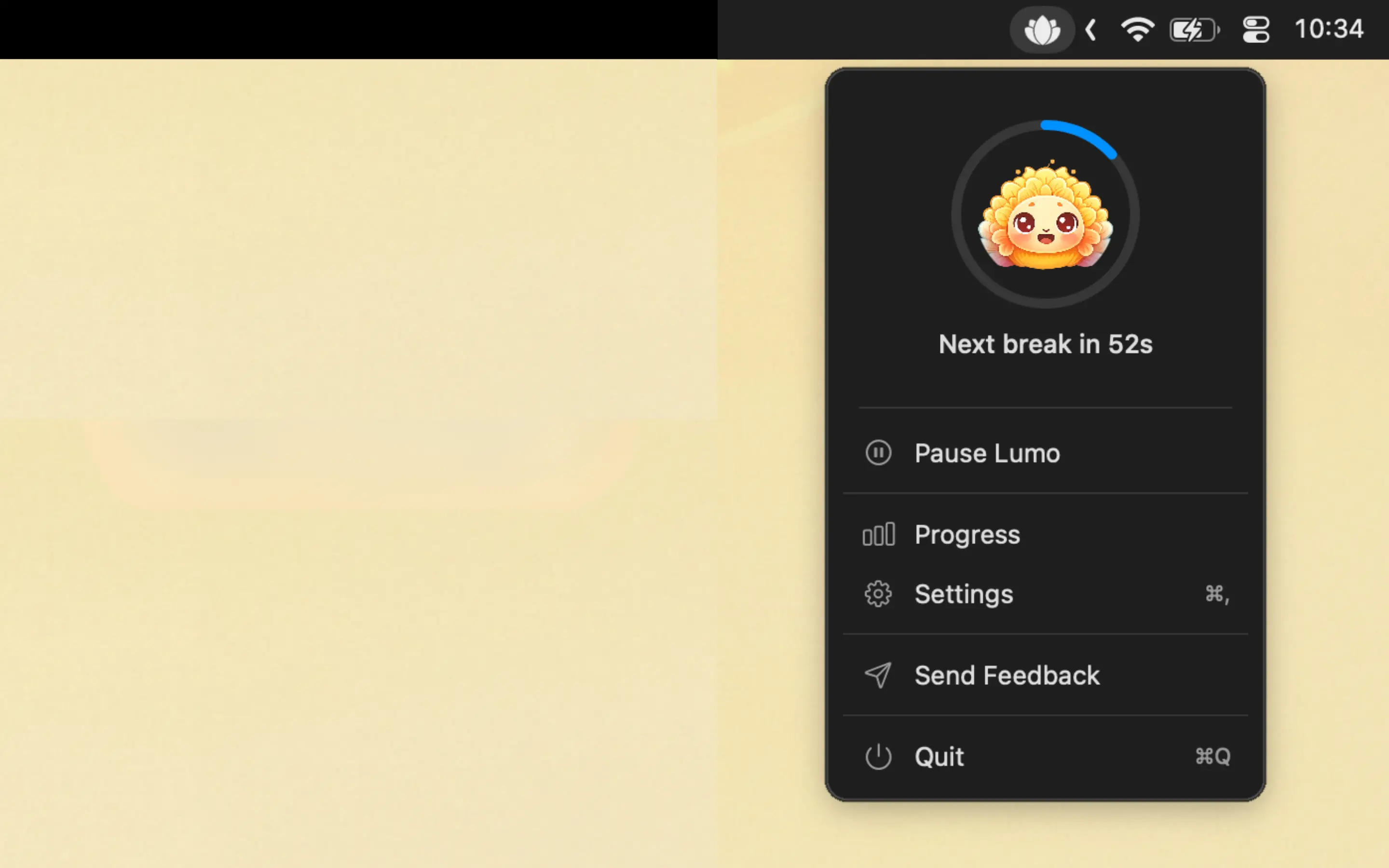
Lumo is a macOS menu bar app that automates the 20-20-20 rule. It runs quietly in your menu bar and reminds you to take eye breaks at regular intervals — no manual timers, no aggressive notifications.
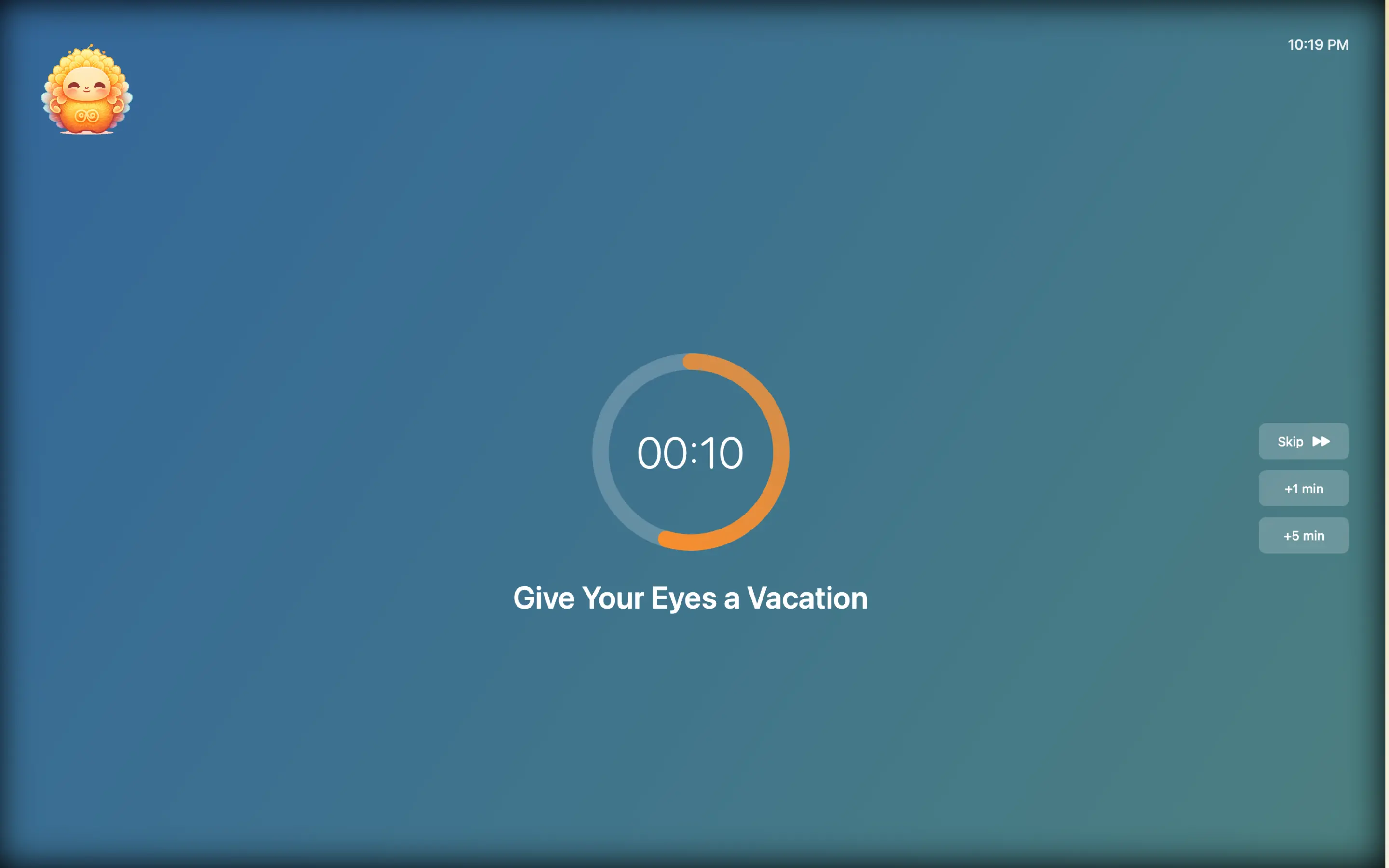
For dry eyes specifically, Lumo's value is consistency:
- Automatic reminders every 20 minutes — the interval that research supports for preventing tear film breakdown
- Non-intrusive — a gentle prompt, not a screen-blocking alert. Skip it when you're mid-debug
- Breathing reminders — Lumo is the only Mac app that pairs eye breaks with periodic breathing exercises, addressing the shallow breathing that accompanies screen work
- Lotus flower daily tracking — see how many breaks you've completed today at a glance
- Weekly and monthly analytics — track your consistency over time. Dry eyes are a cumulative problem; the fix needs to be cumulative too
- Auto-pause on inactivity — steps away from the keyboard? Lumo pauses. No false reminders
The lotus flower fills in gradually throughout the day — a simple visual reward that makes breaks feel like progress rather than interruption.

Frequently Asked Questions
Why do my eyes get dry when I code?
When you code, your blink rate drops from a normal 15-20 times per minute to as few as 3-4. Blinking spreads tears across your cornea. Fewer blinks means your tear film evaporates faster than it's replenished, leaving your eyes dry, irritated, and red.
Are dry eyes from screens permanent?
In most cases, no. Dry eyes from screen work are caused by reduced blinking, not by damage to the tear glands. Regular breaks, deliberate blinking, and proper humidity can reverse the symptoms. However, chronic untreated dry eye can lead to corneal inflammation, so address it early.
Do eye drops fix dry eyes from coding?
Eye drops provide temporary relief but don't address the root cause — reduced blinking during screen work. The long-term fix is taking regular breaks (the 20-20-20 rule) and deliberately blinking during those breaks. Eye drops are a useful supplement, not a solution.
What's the best way to prevent dry eyes while coding?
Follow the 20-20-20 rule with an automated reminder like Lumo, deliberately blink 10 times during each break, keep humidity above 40%, and position your monitor at or below eye level to reduce the exposed surface area of your eyes.
Dry eyes aren't inevitable. They're a signal that you're not blinking enough. Fix the blink rate, fix the problem.