
Digital Eye Strain: A Mac User's Prevention Guide
April 13, 2026
Digital eye strain affects an estimated 65% of American adults who use screens regularly. If you're reading this on a Mac, you're statistically likely to be one of them. The good news: most of it is preventable with the right combination of settings, habits, and tools.
This guide is specifically for Mac users — because macOS has built-in features that help, and because the best prevention tools are native Mac apps.
What Is Digital Eye Strain?
Digital eye strain — clinically called computer vision syndrome (CVS) — is a group of eye and vision-related problems caused by prolonged screen use. It's not a disease. It's a condition caused by how screens force your eyes to work.
The American Optometric Association (AOA) defines it as strain resulting from the visual demands of digital device use exceeding the visual abilities of the individual. In plain English: your eyes weren't designed for 8+ hours of near-focus work per day, and they let you know.
The Three Causes
1. Your Blink Rate Collapses
Research from the University of Alabama at Birmingham shows that blink rate drops by up to 66% during screen use — from a normal 15-20 blinks per minute to as few as 3-4. Blinking spreads tears across your cornea. Without it, your eyes dry out, leading to irritation, redness, and a gritty feeling.
2. Your Focus Muscles Fatigue
Your ciliary muscles control the lens that focuses light onto your retina. When you stare at a screen 20-25 inches away, these muscles stay contracted in a near-focus position. After 20+ minutes of sustained contraction, they fatigue — causing blurred vision, difficulty refocusing on distant objects, and that "tired eyes" feeling.
3. Screen Glare and Contrast Issues
Reflections on your screen force your eyes to work harder to distinguish text from background. Poor contrast, small fonts, and mismatched ambient lighting all compound the problem.
Symptoms Checklist
You might have digital eye strain if you regularly experience:
- Dry, irritated, or red eyes
- Headaches (especially behind the eyes or in the temples)
- Blurred vision during or after screen work
- Difficulty refocusing when looking away from the screen
- Neck and shoulder pain
- Eye fatigue or heaviness by late afternoon
- Increased sensitivity to light
- Eye twitching
If three or more apply, your screen habits need adjustment.
What the Research Says Works
The evidence points to two interventions above all others:
1. The 20-20-20 rule. Every 20 minutes, look at something 20 feet away for at least 20 seconds. A 2023 study in the Nepal Journal of Ophthalmology confirmed that participants following this rule experienced significantly fewer symptoms. The American Optometric Association endorses it as the primary behavioral intervention.
2. Conscious breathing. Prolonged screen work triggers email apnea — unconscious breath-holding that keeps your nervous system in a stressed state. Periodic deep breathing resets your autonomic response and reduces the tension that contributes to headaches and neck pain.
macOS Settings That Help
Your Mac has several built-in features that reduce eye strain:
Night Shift (System Settings → Displays → Night Shift) — Shifts your screen's color temperature warmer in the evening, reducing blue light exposure. This doesn't prevent eye strain during the day, but it helps protect your sleep cycle, which indirectly supports eye health.
True Tone (on supported Macs) — Automatically adjusts your display's white point to match ambient lighting. This reduces the contrast mismatch between your screen and your environment.
Display brightness — Use Auto Brightness (System Settings → Displays) to let your Mac match screen brightness to room lighting. A screen that's too bright in a dim room forces your pupils to constantly adjust.
Text size — System Settings → Accessibility → Display → Text Size. Don't strain to read small text. Increasing system-wide text size by one or two notches reduces near-focus effort.
Reduce Motion — System Settings → Accessibility → Display → Reduce Motion. Cuts down on animations that force your eyes to track moving elements.
The Two Habits That Help Most
All the settings in the world won't fix eye strain if you're still staring at the screen for three uninterrupted hours. The two habits with the most evidence behind them:
Habit 1: Regular eye breaks (20-20-20 rule) The problem is remembering. In a previous post, I covered why willpower alone fails — your brain literally can't track time during focused work. You need an external cue.
Habit 2: Periodic breathing resets Two to three deep, slow breaths every 20-30 minutes is enough to shift your nervous system out of the shallow-breathing stress state that screen work creates.
Tools That Automate Prevention
The gap between "knowing what to do" and "doing it" is where apps come in. Lumo is a macOS menu bar app that automates both habits:
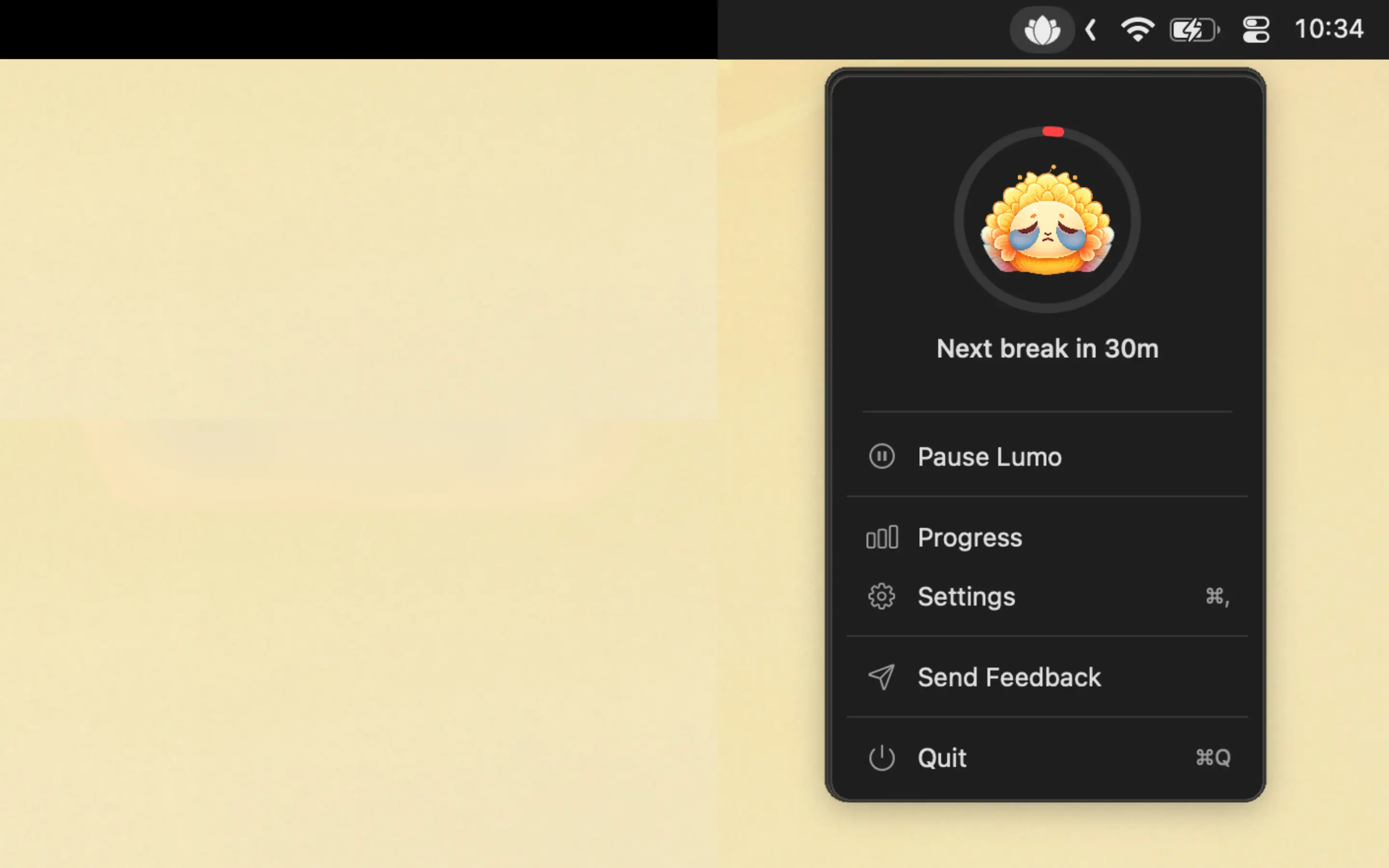
- 20-20-20 reminders every 20 minutes — gentle, skippable, non-intrusive
- Breathing prompts — periodic reminders to take deep breaths
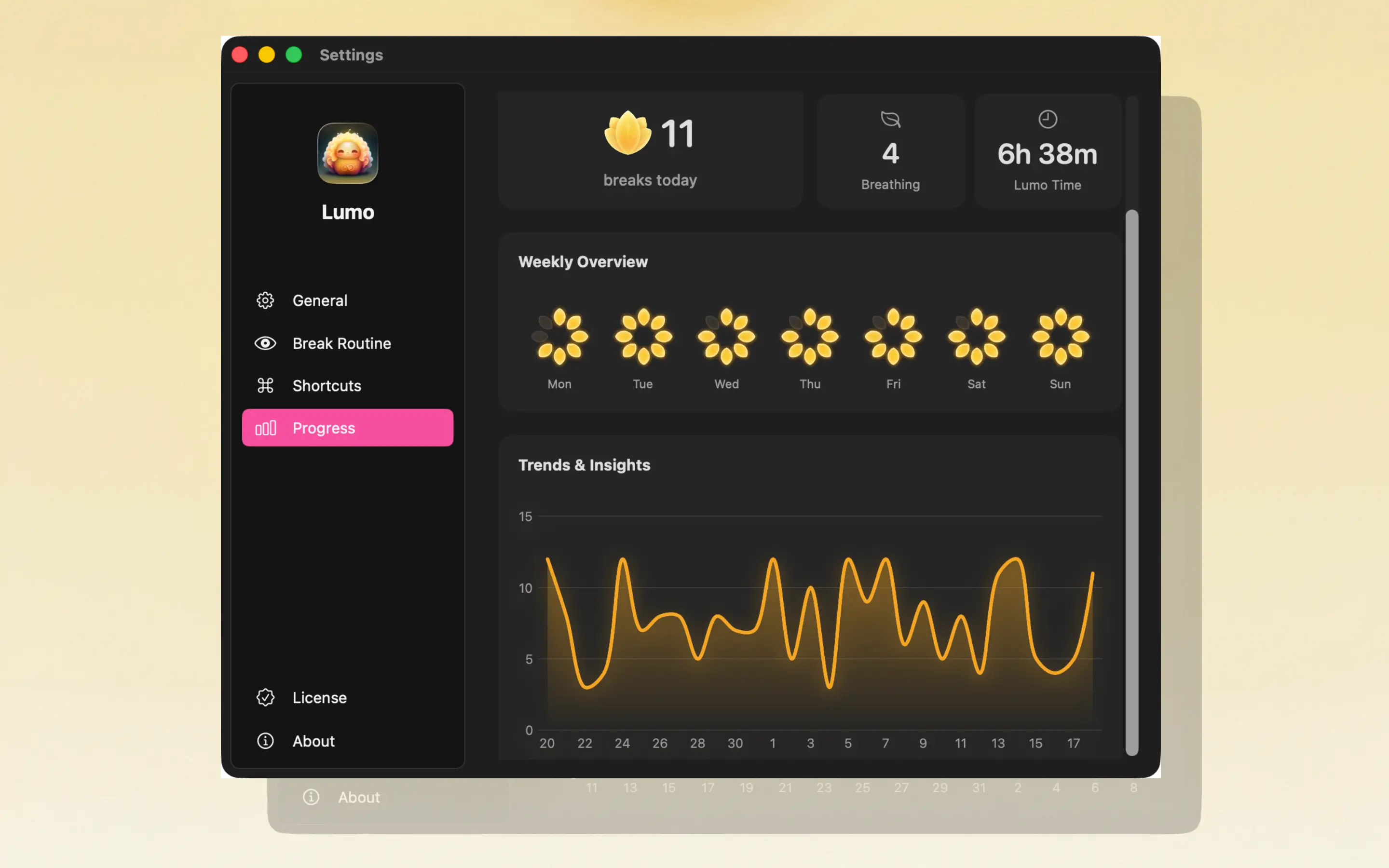
- Lotus flower daily tracker — a visual reward that fills in as you complete breaks
- Weekly and monthly analytics — see your consistency, identify your worst days, and track improvement
- Auto-pause on inactivity — no reminders when you're already away
- Menu bar native — no dock icon, no window, no distraction
It's the only Mac app that treats digital eye strain as the whole-body problem it is — addressing eyes, breathing, and habit formation in a single tool.

Frequently Asked Questions
What is digital eye strain?
Digital eye strain, also known as computer vision syndrome, is a group of eye and vision-related problems caused by prolonged screen use. Symptoms include dry eyes, headaches, blurred vision, and neck pain. The American Optometric Association estimates it affects over 65% of Americans who work on screens.
What causes digital eye strain on a Mac?
Three main factors: reduced blink rate (drops up to 66% during screen use), sustained near-focus that fatigues eye muscles, and screen glare or poor contrast settings. Retina displays help with resolution but don't eliminate the underlying focus and blink problems.
How do I reduce eye strain on my Mac?
Use macOS built-in features (Night Shift, True Tone, Display settings) combined with the 20-20-20 rule. For automated prevention, use Lumo — a menu bar app that reminds you to take eye breaks and breathe every 20 minutes, with daily tracking to build the habit.
Is blue light from Mac screens causing my eye strain?
Blue light gets blamed often, but the American Academy of Ophthalmology says there's no evidence that blue light from screens causes eye damage. The real culprits are reduced blinking, sustained near-focus, and poor ergonomics. Blue light may affect sleep quality, which is why Night Shift helps at night.
Digital eye strain is preventable. The right settings help. The right habits help more. And the right tool makes the habits automatic.