
Best Eye Strain Prevention Apps for Mac (2026)
March 23, 2026
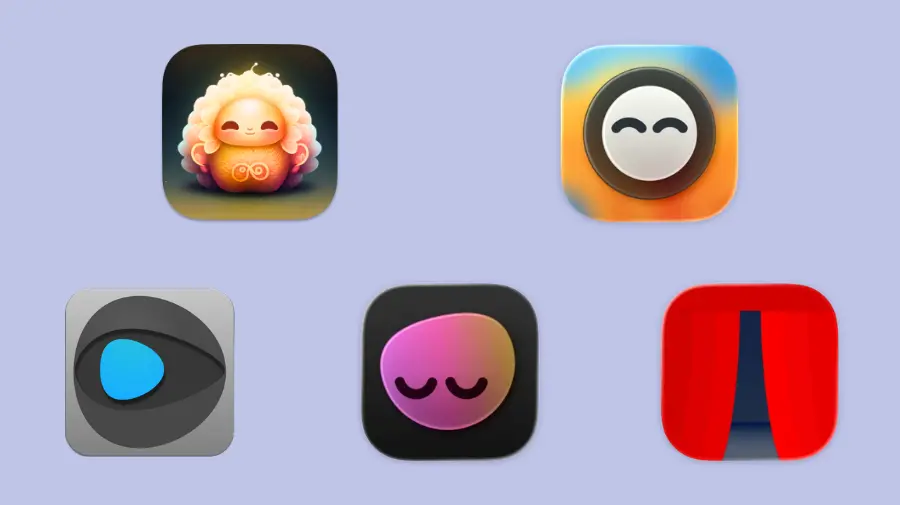
The 20-20-20 rule works — but only if you actually follow it. That's where apps come in. A good eye strain app runs in the background, reminds you to take breaks, and stays out of your way. A bad one nags you into disabling it within a week.
I tested every major Mac eye strain app in 2026. Here's what's actually worth installing.
What to Look for in an Eye Strain App
Before the rankings, here's what separates a useful reminder from an annoying one:
- Non-intrusive reminders — if it blocks your screen or demands attention, you'll disable it
- Skippable breaks — you need the ability to defer when you're mid-flow
- Auto-pause on inactivity — no pointless reminders when you're already away from the keyboard
- Progress tracking — some form of daily/weekly analytics that keeps you motivated beyond the first week
- Set-and-forget setup — the less daily configuration required, the better
With that in mind:
1. Lumo — Best Overall
Lumo is a macOS menu bar app that combines the 20-20-20 rule with breathing reminders — the only Mac app that addresses both eye strain and screen apnea in a single tool.
What stands out:
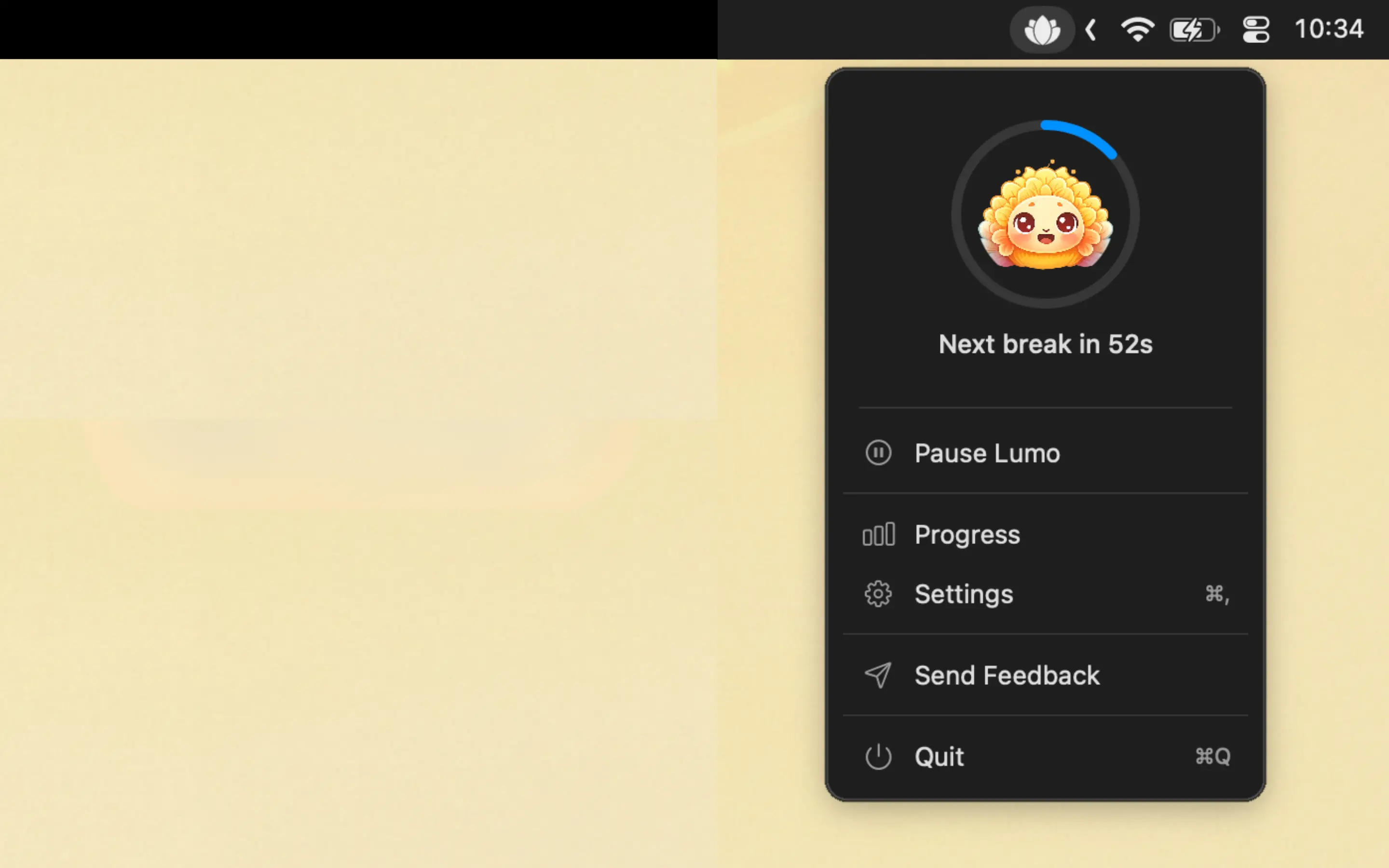
- 20-20-20 rule reminders — gentle, non-intrusive, skippable
- Breathing exercises — periodic prompts to take 2-3 deep breaths, resetting your stress response
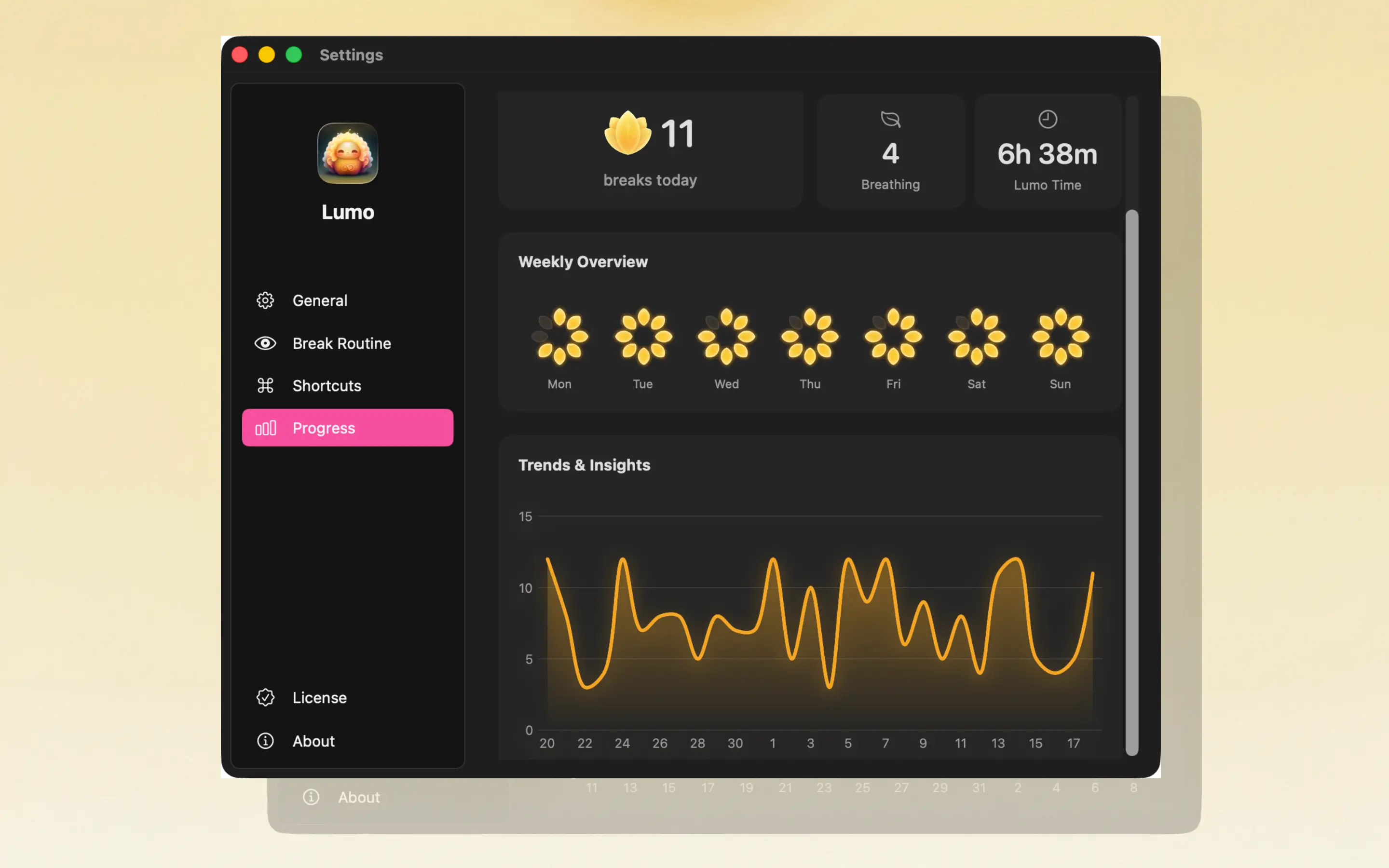
- Lotus flower daily tracking — a visual indicator that fills in as you complete breaks, creating a simple reward loop
- Weekly and monthly analytics — see your consistency over time, not just today
- Auto-pauses on inactivity — walks away from the keyboard? Lumo pauses automatically
- Menu bar native — tiny footprint, no dock icon, no window to manage
Pricing: $1.99/month or $24.99 lifetime
Why it's #1: Most eye strain apps treat the problem as purely visual. Lumo is the only one that recognizes screen work affects your breathing too. The analytics are the real differentiator for long-term use — most people install a break reminder, use it for a week, then forget. The lotus flower and weekly stats create just enough accountability to keep you going.

2. LookAway
LookAway is a polished, beautifully designed break reminder with some of the best animations in the category.
Pros:
- Gorgeous UI and break animations
- Includes blink reminders and posture reminders
- Very well-designed onboarding
- Active development with regular updates
Cons:
- Expensive — significantly pricier than alternatives
- Reminder overload — blink reminders + posture reminders + eye break reminders can pile up fast, pulling you out of focus more than helping
- No analytics or tracking — no way to see your weekly consistency, which makes it harder to build a long-term habit
Best for: Users who prioritize beautiful design and don't mind the price.
3. Loook
Loook is a clean, no-nonsense Mac utility that gets the core job done.
Pros:
- Nice-looking interface
- Straightforward 20-20-20 implementation
- Additional reminders (water, stretching) for those who want them
Cons:
- Full-screen break view with no skip option — if it fires mid-thought, you're stuck waiting. This is a dealbreaker for developers and anyone in a flow state
- Extra reminders add noise — water reminders, stretch reminders, etc. are nice in theory but tend to cause notification fatigue
- No analytics — no daily tracking, no weekly stats, no visual progress. Hard to stay motivated beyond the first few days
Best for: Casual users who want a simple timer without tracking.
4. Intermission
Intermission is a free, lightweight break reminder that does the basics.
Pros:
- Free — zero cost, zero commitment
- Simple and minimal
- Good for trying the concept of screen break reminders before committing to a paid app
Cons:
- Very basic feature set
- No analytics or tracking
- Limited customization
- No breathing or additional health features
Best for: Testing whether a break reminder works for you before investing in a more complete solution.
5. LookAway (Open Source)
Not to be confused with the commercial LookAway app above — this is an open-source project that actually predates it. It's a bare-bones macOS menu bar timer that enforces the 20-20-20 rule with a full-screen overlay when your 20 minutes are up.
Pros:
- Free and open source (MIT license)
- Dead simple — a 20-minute timer and a full-screen "look away" prompt
- Lightweight, no unnecessary features
Cons:
- Not actively maintained — last updated in 2020, requires macOS 10.14+
- No customization (interval, duration, appearance)
- No analytics, no breathing, no tracking
- Full-screen overlay with no skip option
Best for: Developers who want the absolute minimum viable 20-20-20 timer and don't mind building from source.
Feature Comparison
| Feature | Lumo | LookAway | Loook | Intermission | LookAway (OSS) |
|---|---|---|---|---|---|
| 20-20-20 reminders | Yes | Yes | Yes | Yes | Yes |
| Breathing reminders | Yes | No | No | No | No |
| Skippable breaks | Yes | Yes | No | Yes | No |
| Auto-pause on inactivity | Yes | Yes | Limited | No | No |
| Daily visual tracking | Lotus flower | No | No | No | No |
| Weekly/monthly analytics | Yes | No | No | No | No |
| Menu bar native | Yes | Yes | Yes | Yes | Yes |
| Non-intrusive | Yes | Moderate | No (full-screen) | Yes | No (full-screen) |
| Pricing | $1.99/mo or $24.99 lifetime | $$$ | $$ | Free | Free (open source) |
The Bottom Line
If you just want to try the concept, Intermission is free and does the basics. If you want the most polished animations, LookAway delivers — at a premium price. If you want to build from source and don't need any bells or whistles, the open-source LookAway is as minimal as it gets.
But if you want the app that'll actually stick — one that's non-intrusive enough to survive past week one, tracks your progress so you stay motivated, and addresses both eye strain AND breathing — Lumo is the clear pick. It sits in the sweet spot between polish and practicality.