Eye Strain While Coding: A Developer's Prevention Guide
March 16, 2026
If you code for a living, your eyes are taking more damage than you think. Developers routinely log 8-12 hour screen sessions with minimal breaks. The combination of small fonts, high-contrast themes, and deep focus states makes coding one of the worst activities for eye health.
This isn't about being dramatic. The American Optometric Association reports that digital eye strain affects the majority of people who use screens for more than two hours a day. Developers blow past that threshold before lunch.
Why Developers Are Especially Vulnerable
Not all screen time is equal. A developer's workday has specific characteristics that accelerate eye strain:
Deep focus suppresses blinking. When you're debugging a tricky race condition or tracing execution flow across five files, your brain deprioritizes "maintenance" functions like blinking. Studies show blink rate drops from a normal 15-20 times per minute to as low as 3-4 during concentrated screen work. Less blinking means drier eyes, faster.
Small font sizes. Code demands precision. Many developers use 12-13px fonts packed with syntax highlighting. Your ciliary muscles work overtime to maintain focus on small, detailed characters.
Dark themes create a paradox. Dark mode reduces overall light exposure, but your pupils dilate wider in response to the dark background — then strain to focus on small, bright text. In a well-lit room, this can actually be harder on your eyes than light mode.
Sessions are long. A typical product manager might switch between Slack, Figma, and docs every few minutes. Developers regularly enter 2-3 hour uninterrupted coding blocks. That's 2-3 hours of sustained near-focus with minimal blinking.
Multiple monitors amplify the problem. Constant eye movement between screens at slightly different distances and angles forces rapid refocusing, fatiguing your eye muscles faster.
Symptoms You're Probably Ignoring
Most developers normalize these symptoms without realizing they're signs of digital eye strain (clinically called computer vision syndrome):
- Dry, irritated eyes — especially by late afternoon
- Headaches that start behind the eyes or in the temples
- Blurred vision when looking up from the screen
- Neck and shoulder tension — your posture changes to compensate for eye discomfort
- Difficulty focusing on distant objects after a long session
- Eye twitching — a sign of muscle fatigue
If you're experiencing any of these regularly, you don't need new glasses (though get checked). You need breaks.
The 20-20-20 Rule, Adapted for Coding Sessions
The 20-20-20 rule — every 20 minutes, look at something 20 feet away for 20 seconds — is the gold standard recommendation from the American Optometric Association. For developers, here's how to make it practical:
Don't fight your flow state. The biggest objection developers have to break reminders is "it'll break my focus." Good break reminders are skippable. If you're in the middle of solving a problem, skip the reminder and take a break when you hit a natural pause — after a commit, after a PR review, after running tests.
Use a 20-second break as a mental reset. Look away from the screen and think about the problem you're solving from a higher level. Some of the best architectural insights come from micro-breaks. Your subconscious works while your eyes rest.
Blink deliberately during breaks. Close your eyes fully 10 times during each 20-second break. This re-coats your cornea with tears and counteracts the blink suppression from deep focus.
Environment Tweaks That Actually Help
Beyond breaks, your physical setup matters:
- Font size: 14px minimum. If you're on a Retina MacBook, 14-15px in your editor is the sweet spot. Your eyes will thank you
- Monitor distance: arm's length. Extend your arm — your fingertips should just touch the screen
- Monitor position: top of the screen at or slightly below eye level. This reduces the exposed surface area of your eye, slowing tear evaporation
- Room lighting: match your screen brightness. If your screen is a glowing beacon in a dark room, your pupils are constantly adjusting. Match ambient light to screen brightness
- Night Shift / f.lux after dark. Blue light reduction doesn't prevent eye strain during the day, but it does help with sleep quality if you code at night
Why a Menu Bar Reminder Beats Willpower
You already know you should take breaks. The problem is you don't remember — because deep focus is literally designed to make you forget everything except the task.
Phone timers fail because you dismiss them. Pomodoro apps fail because they're designed for task management, not eye health. What works is something that:
- Runs automatically with zero daily setup
- Reminds gently without screaming for attention
- Lets you skip without guilt when you're in flow
- Tracks your progress so you stay motivated over weeks, not just hours
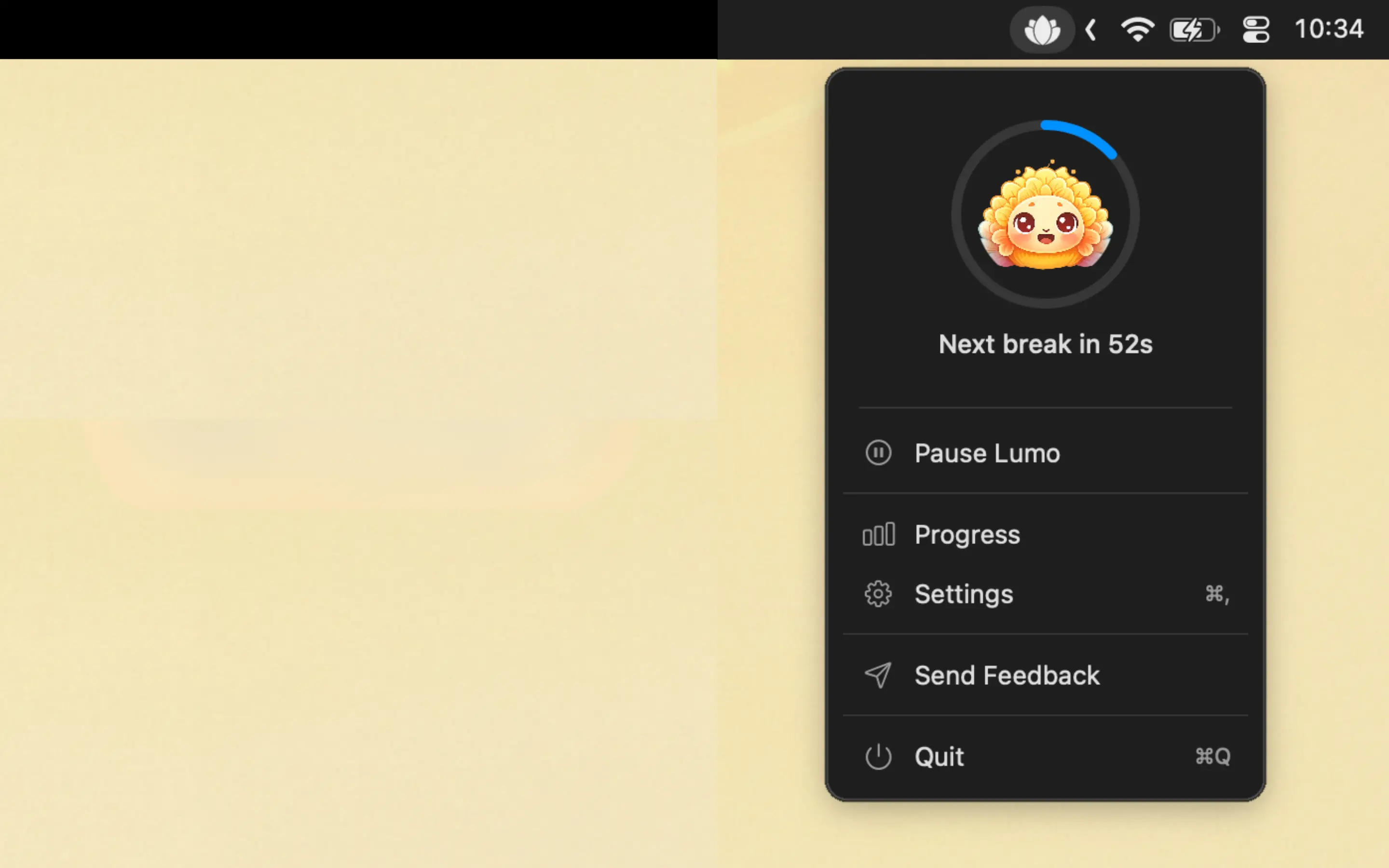
Lumo does exactly this. It's a macOS menu bar app built around the 20-20-20 rule, with breathing reminders that address the shallow breathing developers experience during focus sessions (yes, you hold your breath while debugging — it's called email apnea).
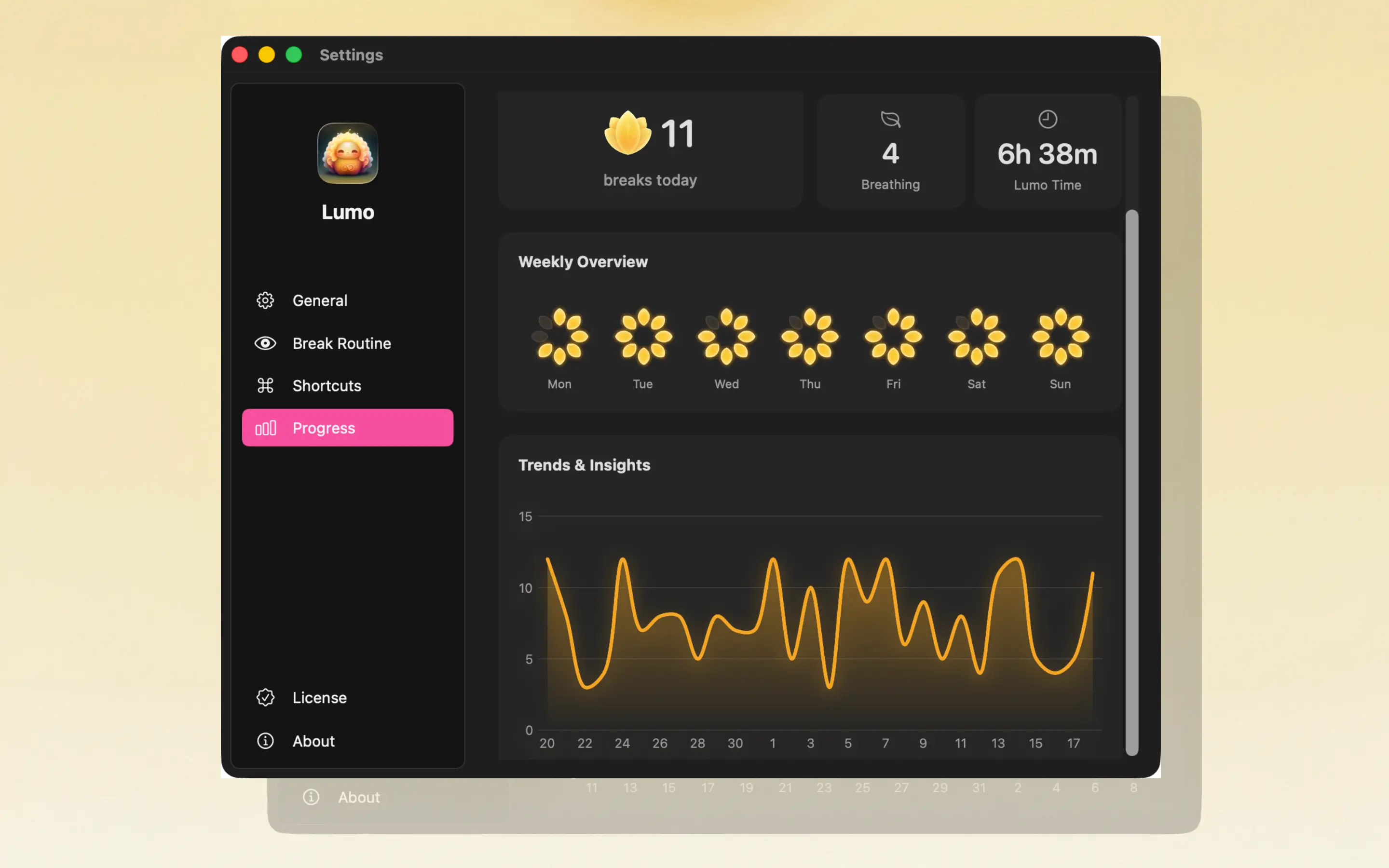
A lotus flower fills in as you complete breaks throughout the day. Weekly and monthly analytics show your consistency over time. It auto-pauses when you're inactive. It's skippable. It's quiet. It stays out of your way until you need it.

Frequently Asked Questions
Why do developers get eye strain more than other screen workers?
Developers enter deep focus states that suppress the urge to blink and look away. Combined with small font sizes, high-contrast dark themes, and sessions that regularly exceed 2-3 hours without a break, developers experience eye strain at higher rates than typical office workers.
Does dark mode cause eye strain?
Dark mode reduces overall light emission but increases pupil dilation, making your eyes work harder to focus on small, bright text. In well-lit rooms, light mode may actually cause less eye fatigue. The best approach is matching your theme to your environment and taking regular breaks regardless.
What's the best way for developers to prevent eye strain?
Follow the 20-20-20 rule (every 20 minutes, look 20 feet away for 20 seconds) using an automated reminder app like Lumo. Combine this with a font size of at least 14px, monitor at arm's length, and proper room lighting.
Are there eye strain apps designed for developers on Mac?
Lumo is a macOS menu bar app built for the 20-20-20 rule with breathing reminders. It's non-intrusive, auto-pauses when you're away, and tracks your daily breaks with a lotus flower visualization — designed to fit a developer workflow without breaking focus.
Your eyes are your most important dev tool. Protect them.