
Why Mini Stopwatch Is the Best Stopwatch App for macOS (And What It Can Do)
September 15, 2025
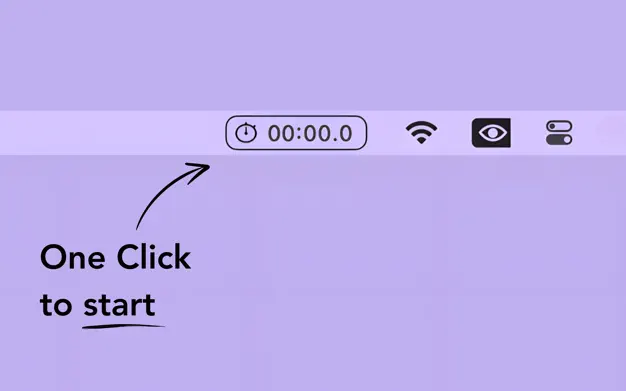
It’s strange that macOS doesn’t come with a built-in stopwatch.
That’s where Mini Stopwatch comes in. It’s a simple app for Mac that gives you a real stopwatch in your menu bar. No distractions. No noise. Just a reliable timer that works with one click.
Let’s walk through what makes Mini Stopwatch one of the best stopwatch apps on macOS.
One-Click Action
- Click once to start
- Click again to stop
- Double click to reset
That’s it. No dropdowns, no menus, no popups. The fastest way to time anything.
Keyboard Shortcuts to Reset
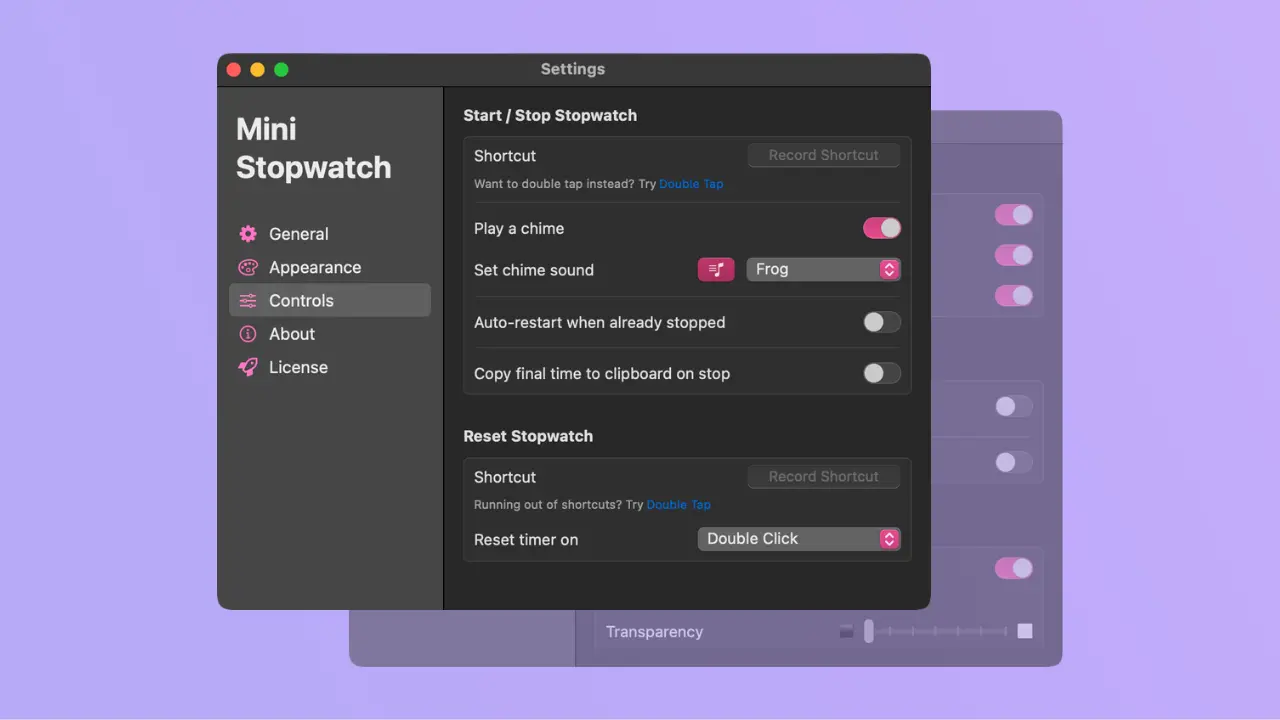
If you like using keyboard shortcuts, you can set up a global shortcut to reset the stopwatch instantly. It works even if Mini Stopwatch is not focused.
This is great when you want to stay in your flow and avoid using the mouse.
Full Screen Mode
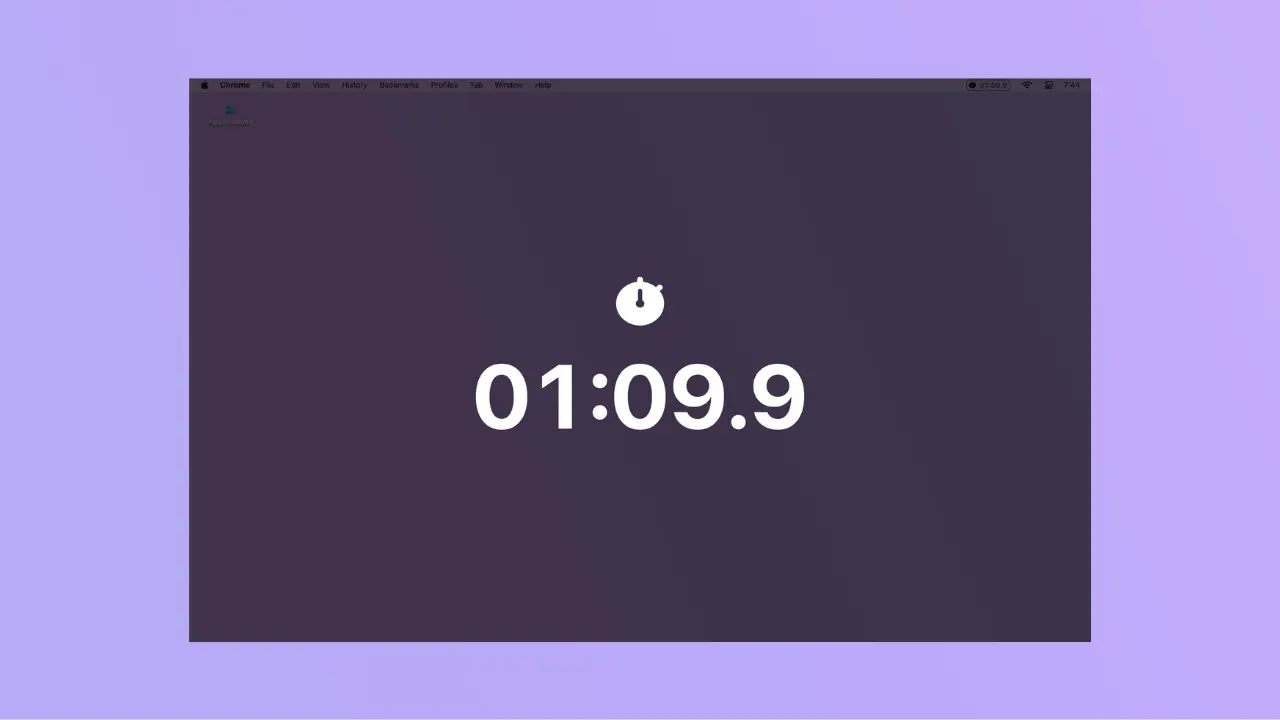
Sometimes you need a bigger view.
Mini Stopwatch has a full screen mode that lets you see the timer large and centered. It’s useful for:
- Presentations
- Workouts
- Timeboxing sessions
- Pomodoro timers
Just hit the shortcut or use the menu option, and you're set.
Auto-Reset After Pause
If you use the stopwatch multiple times a day, you’ll love this.
Mini Stopwatch can automatically reset after you stop it. That means it’s ready for your next session without you needing to double click.
It’s a small thing that saves you time in the long run.
Keeps Running While Mac Sleeps
This one is rare.
Most apps pause when your Mac goes to sleep or you close the lid. But Mini Stopwatch keeps counting in the background.
Whether you’re charging your Mac or stepping away, the timer will keep running like a real stopwatch should.
Customize the Appearance
Want to make it easier to read?
You can enlarge the display and change the color of the text. This is helpful if:
- You have poor eyesight
- You’re showing the timer to others
- You want better contrast with your background
Just tweak it to match your needs.
Works with macOS Shortcuts
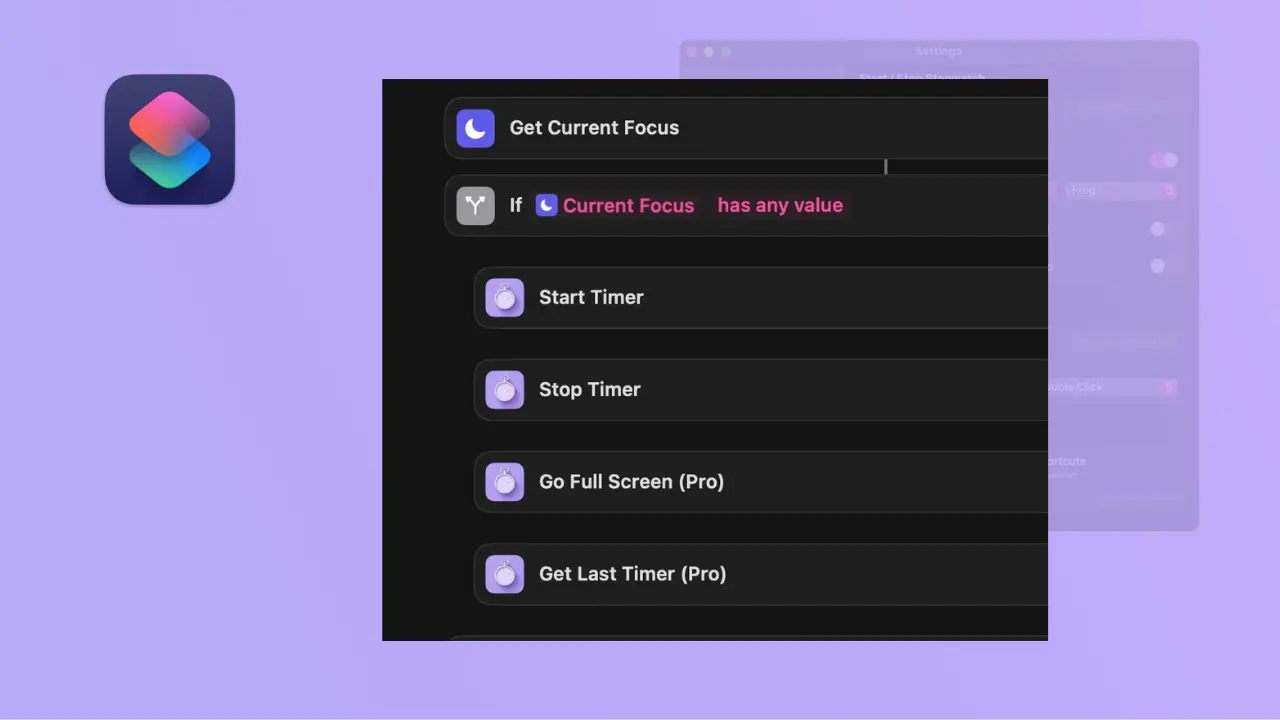
Mini Stopwatch also integrates with the macOS Shortcuts app.
You can create automations like:
- “Start stopwatch and open my coding app”
- “Reset stopwatch and turn on Do Not Disturb”
- “Stop stopwatch and log time to Notes”
If you like automating your workflow, this is a great feature.
A Simple Stopwatch That Just Works
Mini Stopwatch is built for speed, clarity, and focus.
You don’t need to read a manual. You don’t need to set anything up. It just sits in your menu bar and does its job.
Whether you’re working, coding, studying, or doing deep focus sessions, Mini Stopwatch helps you stay on track.
Download Mini Stopwatch now, it's Free!