
Make space, hide the clutter.
A simple menu bar utility that forces hidden icons by pushing them out of sight.






Force Hide the Unhideable
Some apps won't let you hide their menu bar icon. Spacer fixes that by inserting a barrier that pushes them off-screen or behind the camera notch. Finally take back control.
Visual Zen for your Mac
Stop staring at a cramped, chaotic menu bar. Group your essential icons logically and create a calm, organized workspace with adjustable empty space.
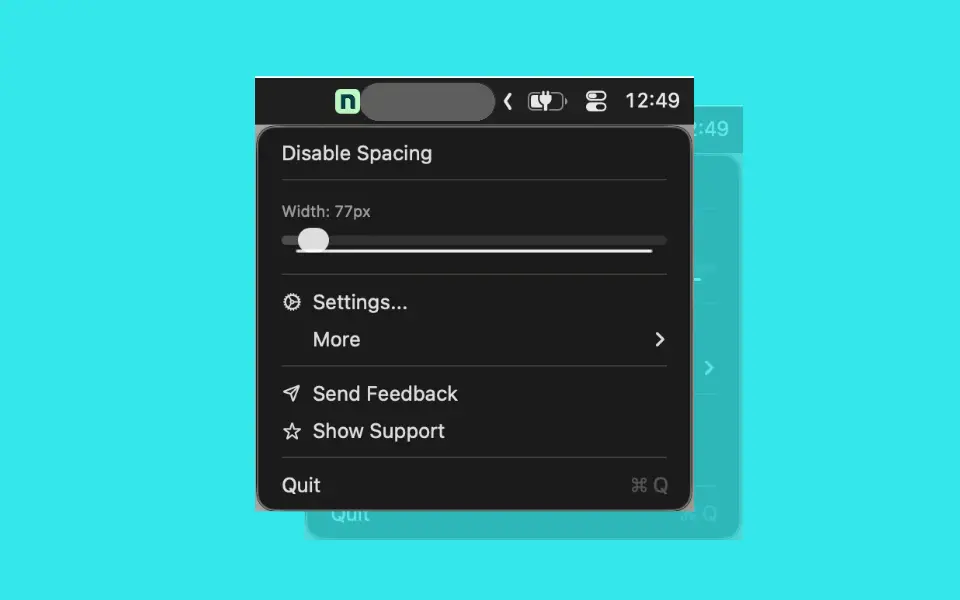
Create breathing room
Stop the icon squish. Insert empty space to separate your work apps from your system status items, giving your menu bar a clean, organized look.
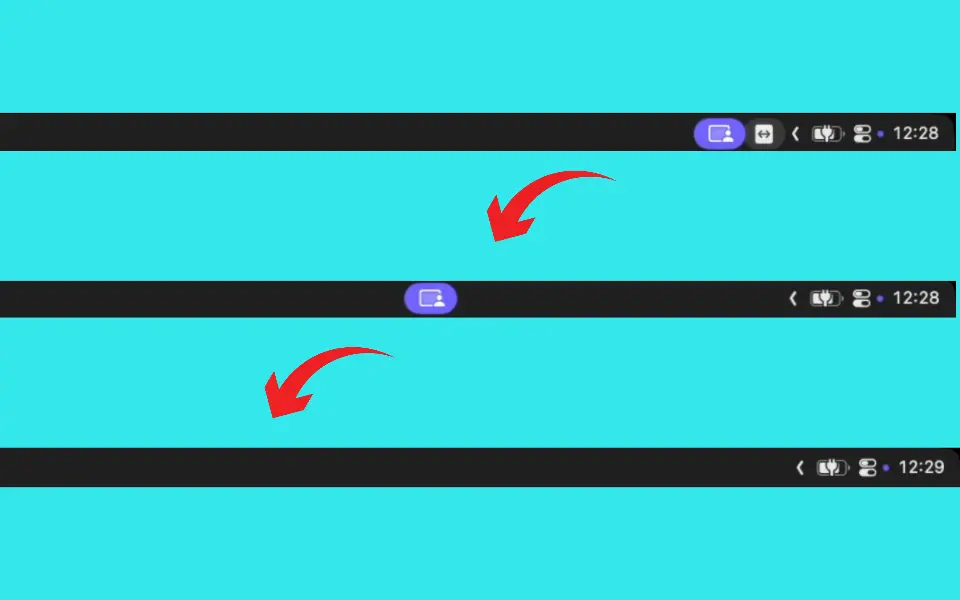
Push to Hide
Insert adjustable space to physically push stubborn icons out of view or behind the notch.
Create Icon Zones
Separate your work tools from system stats with clean, empty breathing room.
Drag & Drop Simplicity
Just Command-Drag the Spacer exactly where you need it in the menu bar.
Why Choose Spacer: Force Hide Icons
Real ways people use Spacer: Force Hide Icons. Find yours.
- → Hide Stubborn Icons – For those background apps that refuse to let you disable their status icon.
- → Notch Management – Push overflow icons behind the camera notch on newer MacBooks.
- → Aesthetic Organization – Create clean visual breaks between groups of apps.

45 minimalists love it!
They quickly capture their thoughts from anywhere!
5 out of 5 stars
Finally hid the unhideable“I have three background apps that refused to let me hide their icons. Spacer pushed them right off the screen. Perfect.”

5 out of 5 stars
“The simplest solution to menu bar clutter. My desktop looks so peaceful now.”

5 out of 5 stars
Essential for notch Macs“Great for pushing non-essential stuff behind the notch on my MacBook Pro so I only see what matters.”
5 out of 5 stars
“Does exactly what it says. It adds space. It's brilliant.”
Free today, Yours forever.
Frequently asked questions
Have another question? Contact us on Twitter or by email.