
Know your deploy status instantly
Deploy Status for Vercel lives in your menu bar and shows you the real-time status of your deployments. No more switching tabs or logging in.






5 out of 5 stars
I deploy to Vercel multiple times a day and constantly checking the dashboard was killing my flow. This app changed everything. A quick glance at my menu bar tells me if my deploy succeeded or failed. When something breaks, I know immediately. It's the kind of tool that seems simple but becomes essential to your workflow.
Deploy status at a glance
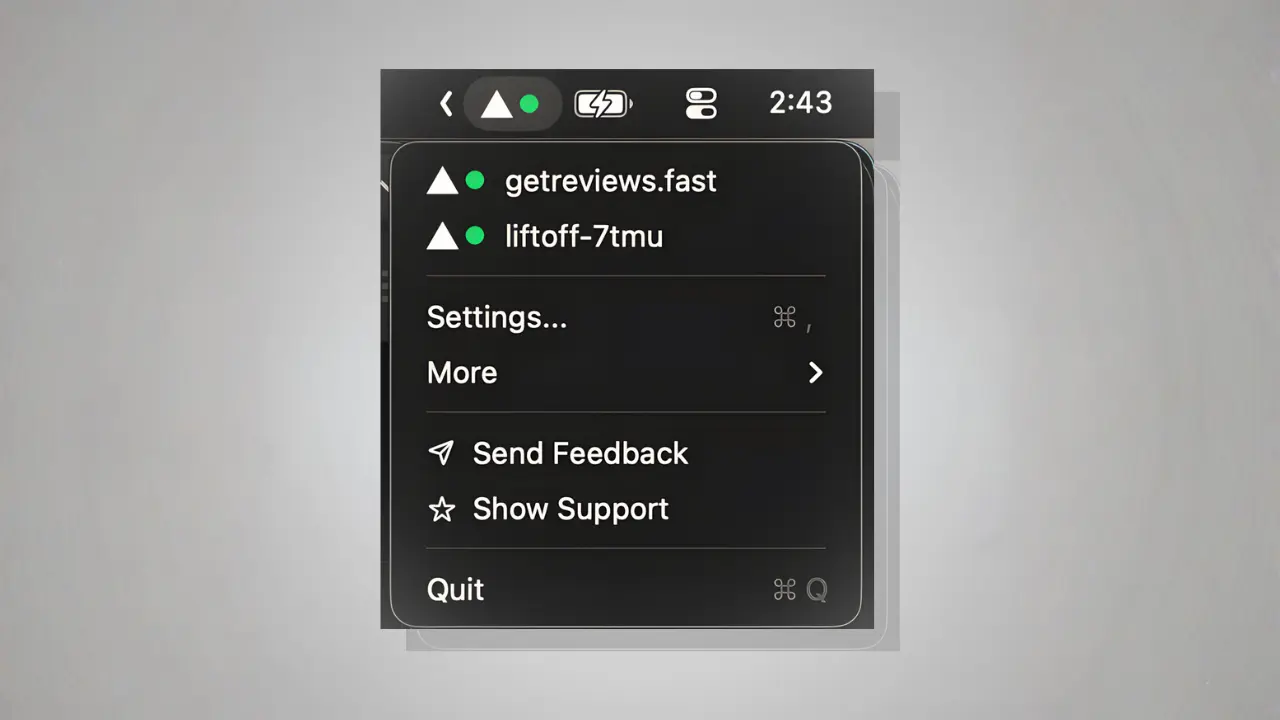
No more opening Vercel's dashboard to check if your latest push went through. The deployment status is always visible in your menu bar—green for success, red for failure, and a spinner when building.
Set it and forget it
Configure your Vercel token once and you're done. The app handles the rest, continuously monitoring your deployments in the background without any manual intervention.
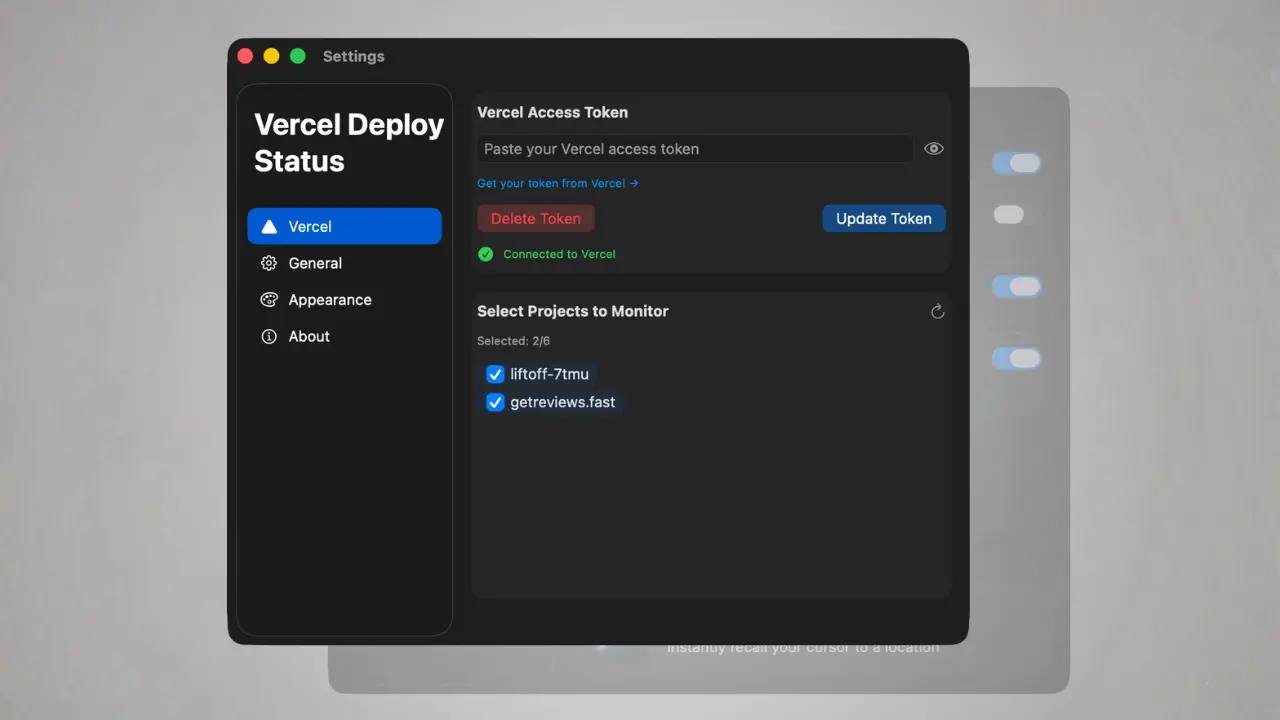
Monitor multiple sites
Working on several projects? Track all your Vercel sites from a single menu bar icon. Switch between projects instantly and keep tabs on everything at once.
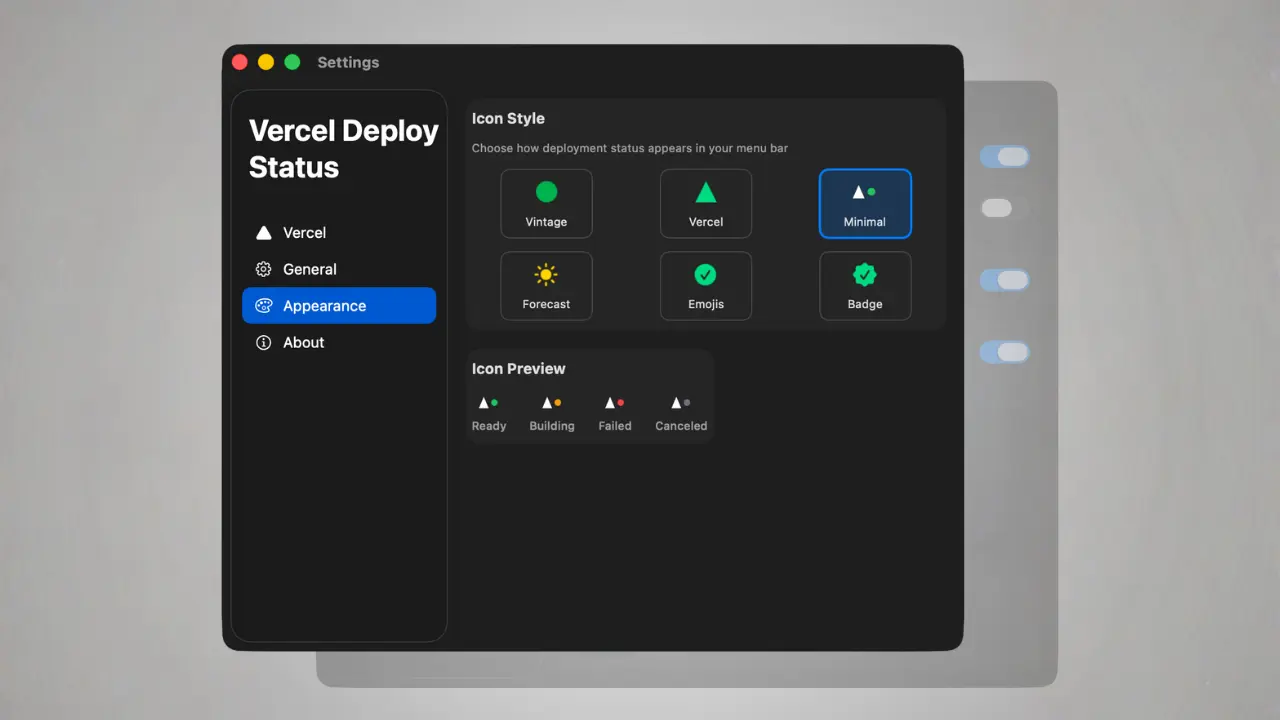
Highly customizable
Choose from a variety of menu bar icons to match your style. Pick the look that fits your setup and make it truly yours.
Real-Time Status Updates
Instantly see the status of your Vercel deployments in your menu bar.
Simple Token Setup
Easily monitor your site's status with a one-time token configuration—stay informed without needing to log in again.
Track Multiple Sites
Monitor the deployment status of multiple Vercel sites right from your menu bar.
Deployment Notifications
Get notified when deployments succeed or fail without checking manually.
Quick Access
Jump directly to your Vercel dashboard or deployment logs with one click.
Privacy First
Your token is stored securely in macOS Keychain. No data ever leaves your device.
Why Choose Deploy Status for Vercel
Real ways people use Deploy Status for Vercel. Find yours.
- → Continuous Deployment – Monitor CI/CD pipelines in real-time.
- → Team Workflows – Stay aware of deployment status across projects.
- → Quick Debugging – Catch failed deploys before users do.
- → Client Projects – Keep track of multiple client sites easily.

Trusted by developers worldwide!
They quickly capture their thoughts from anywhere!
5 out of 5 stars
Time Saver“The real-time status updates save me so much time. No need to log into Vercel every time!”

5 out of 5 stars
Developer Essential“As a developer, this tool is a lifesaver. It keeps me informed with minimal distractions.”
5 out of 5 stars
Must Have“Simple, effective, and a must-have for anyone using Vercel regularly.”
5 out of 5 stars
“Finally I can see deploy failures instantly without checking the dashboard.”

5 out of 5 stars
Clean Integration“Sits quietly in the menu bar until I need it. Perfect.”
5 out of 5 stars
“One less browser tab to keep open. Love it.”
Status glow, forever know.
Frequently asked questions
Have another question? Contact us on Twitter or by email.