
Vercel Deploy Status: Real-Time Deploy Monitoring from Your Mac Menu Bar (2026)
January 8, 2026

If you push to Vercel multiple times a day, you already know the pain:
Alt-Tab → Vercel dashboard → refresh → wait → repeat.
Vercel Deploy Status kills that loop forever.
It lives in your Mac menu bar and shows the exact status of your deployments — green when ready, red when broken, spinning while building — without ever leaving your editor.
I built this tiny app because I got tired of context-switching. In 2026 it’s still the #1 menu-bar companion for every Vercel developer I know.
The ONE feature everyone loses their mind over:
Color-coded status + instant macOS notification the second a deploy finishes or fails.
Let’s see why it’s become non-negotiable.

Download Vercel Deploy Status on the Mac App Store →
What Is Vercel Deploy Status and Why You Need It in 2026
It’s a free, native macOS menu-bar app that:
- Shows real-time build status for all your Vercel projects
- Sends native macOS notifications on success / failure
- Lets you jump straight to logs with one click
- Stores your token only in macOS Keychain (zero telemetry)
No browser tab. No polling script. No extra dashboard.

How to Set Up Vercel Deploy Status in Under 60 Seconds
- Download & open the app
- Paste your Vercel personal access token (Settings → Tokens)
- Done — it instantly pulls in all your projects
That’s literally it.
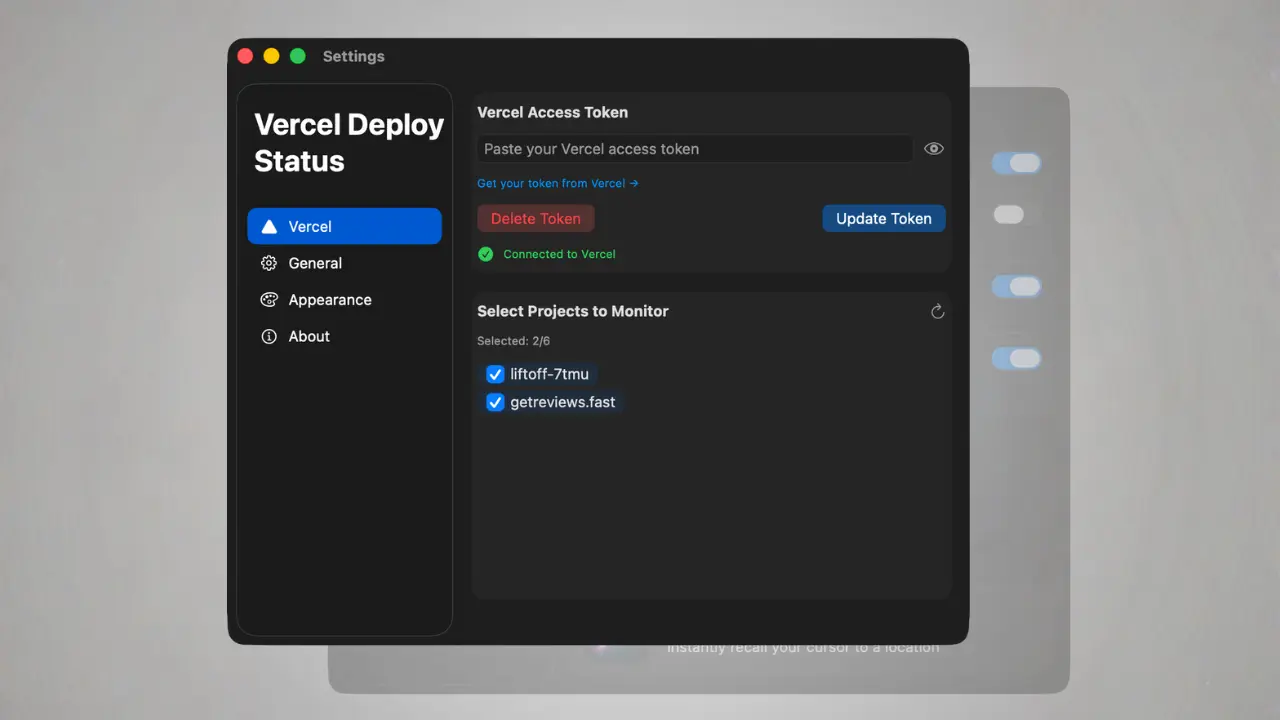
Monitor Multiple Vercel Projects from One Menu Bar Icon
Freelancers and agency devs love this:
- See up to 6 projects at once (we are working to extend that limit)
- Color indicators update in real time
- Click any project → open live URL instantly in Vercel's dashboard
Perfect for Next.js apps, Remix, Astro, SvelteKit — anything on Vercel.
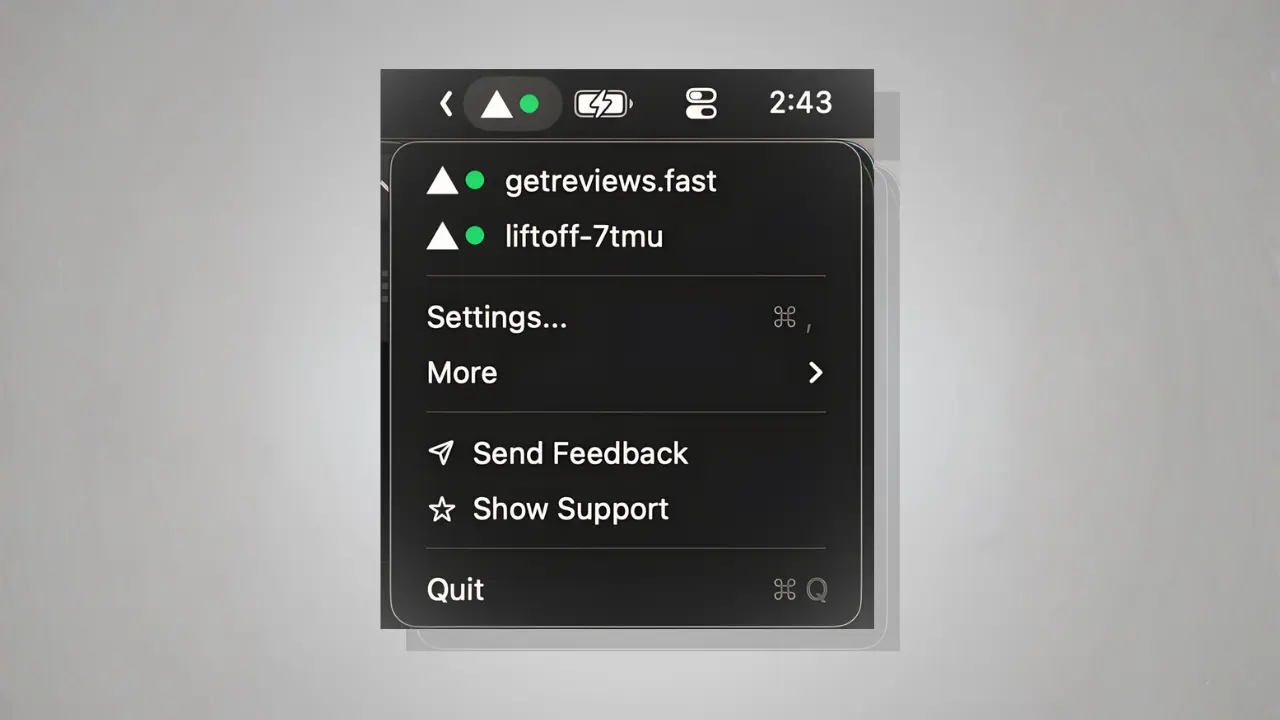
Real-Time macOS Notifications (Actually Useful Ones)
- Deploy succeeded → quiet banner + tiny celebration
- Deploy failed → loud alert so you can jump in before users notice
You decide the volume per project.
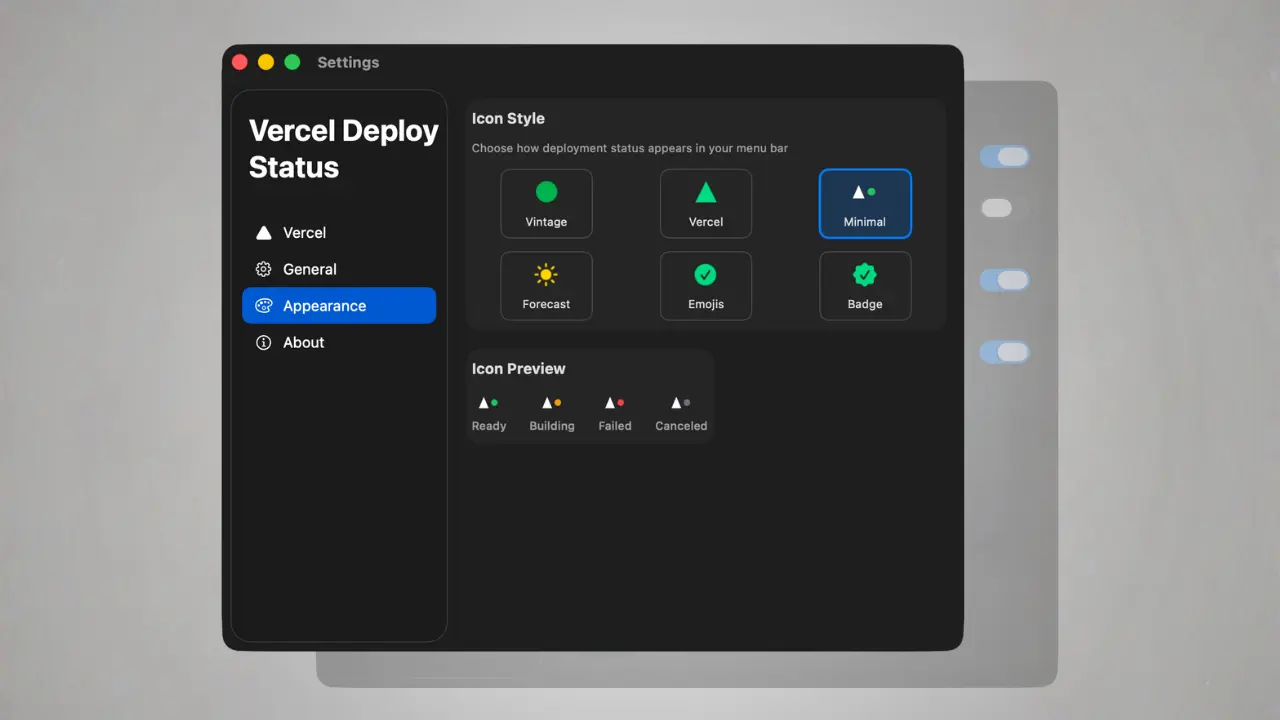
Custom Menu Bar Icons (Because Your Bar Is Personal)
Choose from 6 built-in styles — minimal, colorful, dark-mode optimized, high-contrast.
One-Click Access to Everything That Matters
From the menu you can:
- Open deployment logs
- Open preview URL
- Open production URL
- Open Vercel dashboard
- Copy git branch name
Zero hunting.
Pairs Perfectly With…
- Netlify Deploy Status (same workflow, different platform)
Frequently Asked Questions
Is Vercel Deploy Status free?
100 % free forever to monitor up to 1 project. Unlock Pro to get all features and monitor up to 6 projects.
Is my Vercel token safe?
Stored only in macOS Keychain. Never leaves your machine. No analytics, no servers, no tracking.
Can I use it on multiple Macs?
Yes — copy the token once per machine.
Bottom Line
If you deploy to Vercel more than once a week, Vercel Deploy Status will save you hours every month and spare you from dozens of broken deploys going unnoticed.
It’s the smallest app that gives the biggest ROI in my entire dock.
→ Download Vercel Deploy Status for free right now
You’ll wonder how you ever lived without it.