
Top 3 Contraction Timer Apps
December 1, 2025

When contractions start, clarity matters more than anything.
In early labour — and especially once things intensify — you don’t want to navigate menus, fight ads, or wonder what to tap. You want something simple, minimal, and reliable.
There are dozens of contraction timer apps out there, but these four strike the right balance between calm design, accurate tracking, and a frictionless experience.
Let’s dive in.
1. Contraction Timer & Counter 9m
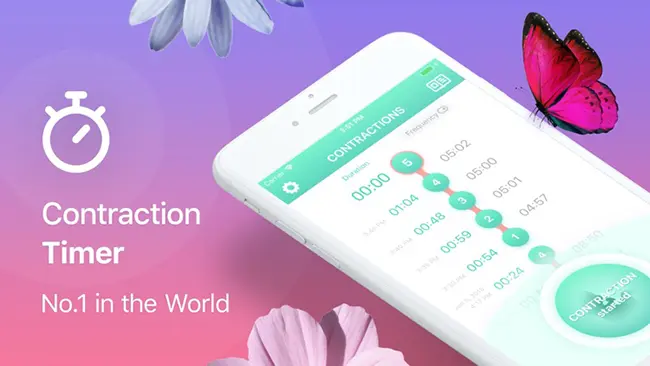
Contraction Timer & Counter 9m is a long-time favourite on both iOS and Android. Tap when a contraction starts, tap when it ends. That’s it. It tracks duration, spacing, and helps you understand when it might be time to go to the hospital.
Pros: Simple, familiar, and accurate.
Cons: Free version has ads, and the design feels dated.
Still, it's popular because it works.
2. Nerd Contraction Timer
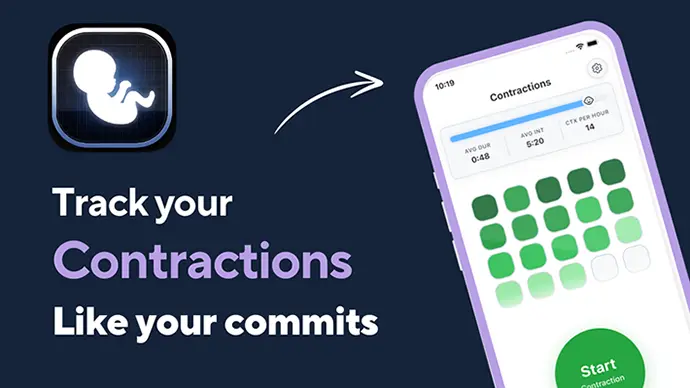
Nerd Contraction Timer is built for women in tech — and their partners who think in code.
Instead of long lists of timestamps, contractions appear like a GitHub activity chart. It’s instantly clear when labour is progressing. The app follows the 5-1-1 rule, includes adjustable intensities, and is completely free with no ads.
Pros: Clean visuals, tech-inspired layout, intensity editing, 100% free.
Cons: The nerd style may not be for everyone.
If you want an at-a-glance understanding of your labour stage, this one shines.
3. Contraction Timer & Tracker
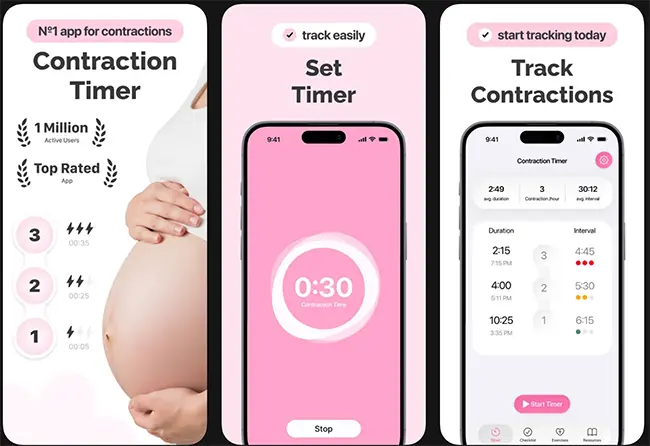
Contraction Timer & Tracker is clean, modern, and extremely functional.
Created by James Ots, this app focuses on perfect usability: large buttons, automatic grouping, averages, and a dark mode ideal for nighttime labour. You can also share your contraction log with your birth team.
Pros: Crisp interface, automatic pattern detection, and sharing options.
Cons: Not much to complain about — it nails the essentials.
Perfect for parents who want both clarity and useful data.
What to look for in the timer app:
- Large, obvious button(s) for start and stop.
- Clear display of intervals & duration.
- A way to see your contraction pattern evolve.
- Minimal input — no settings to configure during labour.
- Dark mode or soft colours for dim rooms.
- Optional hospital-time alerts (like the 5-1-1 rule).
- Optional export or share features.
Conclusion
During labour, your focus is on breathing, your body, and the moment — not on navigating a complex app.
A good contraction timer should make things feel simpler, not more stressful.
These four apps deliver on clarity, accuracy, and calm design.
Choose the one that feels right to you, practice with it ahead of time, and when the moment comes, you’ll be ready.
Breathe. Tap. Track. Trust.