Why Every Mac User Needs These Productivity Tools
October 6, 2025
There are so many apps out there that it's difficult to know which ones will be the most helpful to us. Here's a selection of apps that I believe will absolutely improve your productivity and how fast you get things done with your Mac.
Let's dive into it.
1. Stretch It: The Fastest Focus Timer Ever
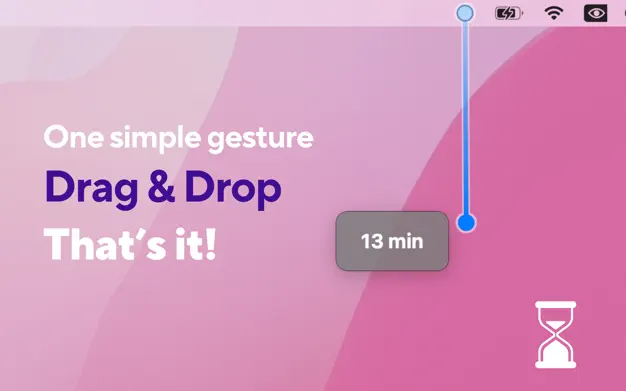
Stretch It turns time management into something fun and visual. Instead of fiddling with a timer or opening a new window, you simply stretch and release to start a countdown. It's an incredibly tactile way to begin a focused work session or a quick break. The timer lives in your menu bar and launches instantly, so you're never more than a second away from staying on track. Whether you're using the Pomodoro technique or just want to control your distractions, this tool makes it easy. It's fast, it's satisfying, and it actually encourages you to use it.
2. Mini Stopwatch: Minimal Timer, Maximum Utility
Mini Stopwatch is one of those rare tools that does one thing perfectly. Sitting quietly in your menu bar, it gives you instant control over a stopwatch with single-click simplicity. Start, pause, reset—everything works the way you expect. It’s perfect for tracking small tasks, workouts, cooking, or even just how long you’ve been away from your desk. You can now go full screen, change colors, auto-restart, or even copy the final time to your clipboard. If you value fast workflows and minimal distractions, Mini Stopwatch is a must-have.
3. Skitch: Fast, Annotated Screenshots Made Easy
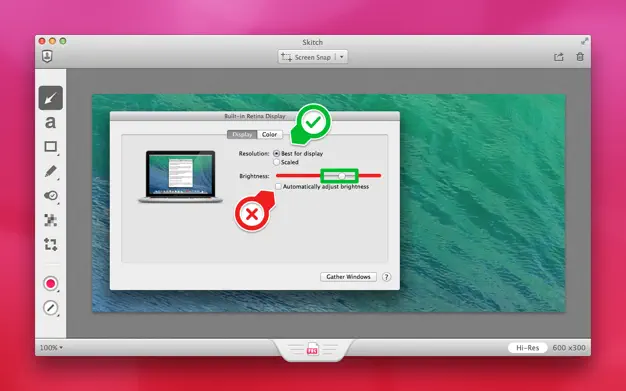
Skitch is the perfect screenshot tool for anyone who frequently shares visual feedback. Made by Evernote, it lets you take screenshots and annotate them in seconds. Whether you’re pointing out UI bugs, giving visual instructions, or sending clever notes to teammates, Skitch makes it fast and fun. You can blur sensitive info, draw arrows, write captions, or even highlight things—all in just a few clicks. It's one of those apps that once you start using, you wonder how you ever lived without it.
4. Hidden Bar: Declutter Your Menu Bar
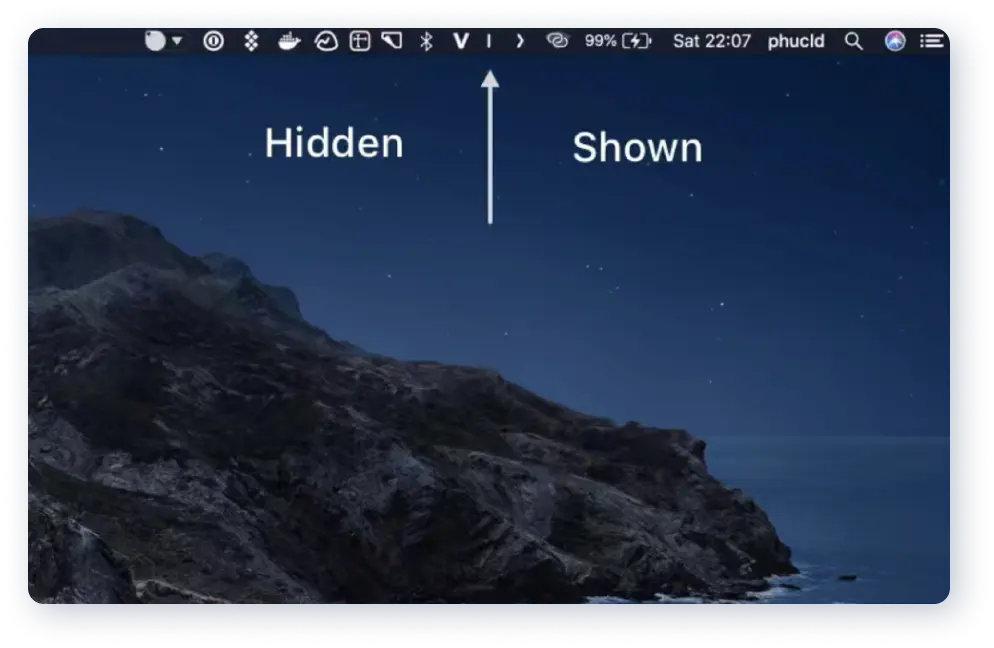
If your Mac’s menu bar is cluttered with icons, Hidden Bar is a lifesaver. It lets you hide everything you don’t need right now behind a collapsible separator. That means more focus, less distraction, and a cleaner workspace. The beauty is that it’s completely free and does exactly what it promises. Unlike other menu bar organizers, Hidden Bar is lightweight and open-source. Use it to keep essential apps visible while hiding the rest until you need them. A tidier Mac means a tidier mind.

5. Charmstone: Magical App Launcher for Trackpad Users
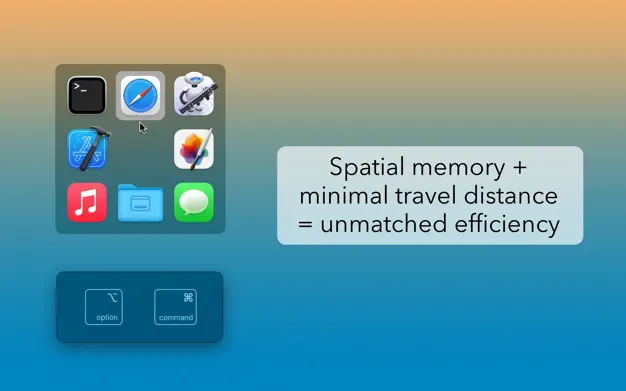
Charmstone is a clever app launcher designed specifically for trackpad users. With a simple flick gesture, you bring up a radial menu of your most-used apps and actions—no keyboard required. It’s fast, elegant, and surprisingly addictive. You can customize it to fit your workflow, from opening folders to running Shortcuts or launching deep links. If you work on a MacBook or love using the trackpad, Charmstone will speed up your daily routine in a way that feels magical.
6. Double Tap: Smart Modifier Key Shortcuts
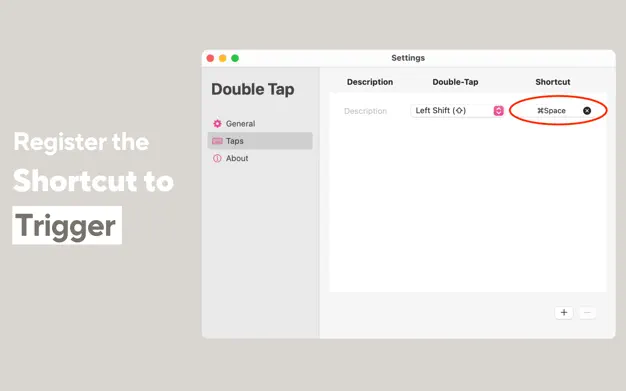
Double Tap gives superpowers to your modifier keys. With this app, you can double-tap keys like Shift, Option, or Command to trigger actions like launching apps, opening folders, or running Shortcuts. It’s perfect for power users who want more out of their keyboard without memorizing complex combinations. The setup is intuitive, and once you get used to the tap rhythm, it feels second nature. It’s a subtle but powerful boost to your productivity, especially if you work across multiple windows and tasks.